
Understanding the Importance of UI and UX in Magento Stores
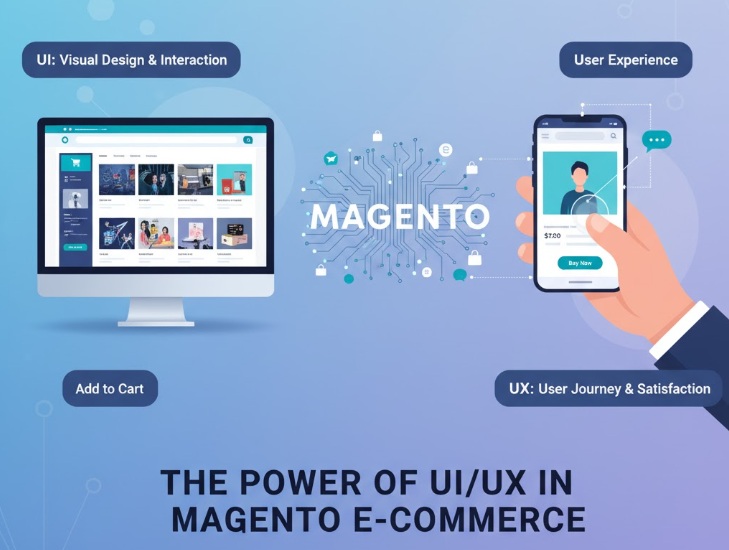
Magento user experience, ecommerce design, Magento store usability, importance of UX in online shopping, Magento interface tips
Common Challenges in Enhancing Magento UI and UX
Magento frontend issues, slow site speed, outdated themes, poor mobile experience on Magento, common Magento UI problems
Improving UI and UX in Magento often presents several challenges due to the platform’s complexity and legacy frontend architecture. One major hurdle is the heavy reliance on outdated technologies like Knockout.js and RequireJS, which can slow down page load times and complicate customization. Developers frequently struggle with maintaining responsive design across devices, especially when using the default Luma theme, which lacks modern styling frameworks. Additionally, integrating third-party extensions without breaking layout consistency or performance can be tedious. Magento’s layered structure also makes it difficult to streamline checkout flows and optimize navigation without deep technical intervention. These issues collectively hinder the delivery of a fast, intuitive, and visually appealing shopping experience making frontend modernization essential for competitive eCommerce stores.
Introducing the Magento Hyva Theme: A Game-Changer for Modern Stores
Magento Hyva theme features, benefits of Hyva for ecommerce, lightweight theme for Magento 2, modern Magento themes
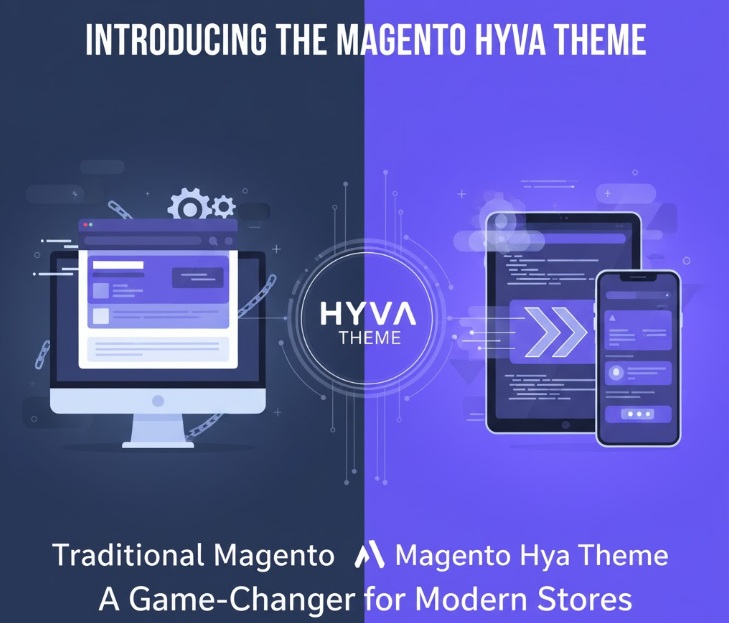
Magento 2 has long been a robust platform for eCommerce, but its default frontend (Luma) often struggles with performance and complexity. Enter Hyvä, a modern Magento theme built from the ground up to solve these issues. It’s not just a facelift it’s a full-blown performance and UX overhaul.
Minimal JavaScript: Hyvä replaces bloated JS libraries like RequireJS and Knockout with Alpine.js and Tailwind CSS, drastically reducing frontend payload.
Improved Core Web Vitals: Faster load times, better interactivity, and visual stability mean higher Google rankings and lower bounce rates.
Reduced HTTP Requests: Fewer assets mean quicker rendering and smoother transitions.
How the Hyva Theme Transforms Your Store’s Design and Performance
The Hyvä theme revolutionizes Magento store design and performance by stripping away the legacy frontend bloat and replacing it with a lightweight, modern stack. By leveraging Tailwind CSS and Alpine.js, Hyvä delivers a clean, responsive UI that’s both developer-friendly and visually appealing. This transformation results in significantly faster load times, improved Core Web Vitals, and a smoother user experience across devices. The simplified architecture not only enhances maintainability but also empowers merchants to create highly customized, conversion-optimized storefronts without sacrificing speed. In essence, Hyvä bridges the gap between design elegance and technical efficiency making Magento stores feel as fast and fluid as modern SaaS platforms.
Migrating to the Hyva Theme: Essential Steps & Best Practices
Migrating to the Hyvä theme from Magento’s default Luma or Blank theme requires a strategic, well-documented approach to ensure a smooth transition and preserve site functionality. Start by auditing your current frontend customizations and third-party modules to assess compatibility with Hyvä’s lean architecture. Next, set up a staging environment to install the Hyvä theme and begin refactoring templates using Tailwind CSS and Alpine.js. . Avoid direct overrides instead, follow Magento’s best practices by using child themes and layout XML updates. Carefully test all critical flows, including checkout, product pages, and mobile responsiveness, to catch regressions early. Finally, optimize performance settings and monitor Core Web Vitals post-launch to validate the upgrade’s impact. A phased rollout with rollback options ensures minimal disruption while unlocking Hyvä’s full potential for speed and UX.
Tweaking Your Store Further: Customizations & Extensions That Enhance UI/UX on Top of Hyva
Once your Magento store is powered by the Hyvä theme, you can further elevate the user experience through targeted customizations and smart extensions. Enhancing navigation with intuitive menus, layered filters, and predictive search helps users find products faster and more confidently. Custom modules tailored for Magento 2 and 2.4.x+ such as advanced product configurators, dynamic content blocks, and personalized recommendations can make the shopping journey more engaging and efficient. For stores aiming to deliver app-like speed and responsiveness, integrating Progressive Web App (PWA) capabilities with Hyvä unlocks seamless mobile experiences, offline browsing, and push notifications. These enhancements, layered on Hyvä’s performance-first foundation, create a storefront that’s not only fast but also delightfully user-centric.
The Future-Proof Choice: Why Investing in Better UI/UX Pays Off Long-Term for Your Business
Investing in better UI and UX for your Magento store isn’t just a design upgrade it’s a strategic move toward long-term business growth. A visually appealing, intuitive interface keeps users engaged, reduces bounce rates, and encourages repeat visits, directly boosting customer retention. Optimized user flows and faster page loads hallmarks of modern themes like Hyvä translate into higher conversion rates and fewer abandoned carts. Over time, these improvements compound into measurable ROI, as your store becomes more discoverable, more trusted, and more efficient to maintain. By adopting a future-proof frontend like Hyvä, you’re not just enhancing aesthetics you’re laying the foundation for scalable, sustainable success.
Conclusion: Elevate Your Sales by Upgrading Your Magneto Store’s UI & UX with the Powerful Hyva Theme Today!
Also you can read:- https://www.citytechcorp.com/blog/magento-hyva-vs-headless-commerce/